Conference Room AV for Law Firms in South Florida
Conference Room AV: What South Florida Law Firms Actually Need
Law firms in South Florida operate in one of the most demanding professional environments for audio-visual technology. Depositions. Client presentations. Multi-party video calls with co-counsel in other states and countries. Court appearances by video. Sensitive conversations that can’t be overheard.
The standard conference room AV package – a display on the wall, a speakerphone in the center of the table, and a laptop HDMI cable somewhere – does not hold up under that workload. And yet that’s what most firms are still running.
Most of the law firms and offices we reference in this post are right here in Miami – our technology integration services in Miami page outlines our full presence in the city.
After working with professional services firms across Miami, Fort Lauderdale, and Boca Raton, we’ve identified the specific failure points that come up repeatedly in law firm AV. Here’s what a properly designed conference room system actually requires – and why the gap between what firms have and what they need is usually wider than they realize.
Why Law Firm Conference Rooms Fail Faster Than They Should
The most common issue isn’t equipment quality – it’s system design. A conference room that was installed three years ago with good equipment often underperforms because the design assumptions are no longer accurate.
Video conferencing has changed. Pre-2020, most meetings happened in person. Today, a high percentage of client meetings, depositions, co-counsel calls, and even some court appearances happen over video. The speakerphone and wall-mounted TV setup was never designed for this level of use. That shift is why we now design around unified communications for South Florida businesses rather than bolting a camera onto an old speakerphone setup.
The network wasn’t designed for video. A 1 Gbps internet connection doesn’t guarantee good video call quality if the internal network wasn’t designed to prioritize video traffic. Dropped calls, frozen screens, and audio artifacts during depositions are usually network problems, not AV problems.
The room wasn’t acoustically considered. Hard glass walls, stone or tile floors, and high ceilings create reverberant spaces where remote participants can’t understand what’s being said. A $3,000 camera doesn’t fix a room with bad acoustics.
Cable management is a maintenance problem. Conference rooms that depend on HDMI cables and dongles for laptop connectivity create daily friction – cables break, adapters go missing, and someone always needs a cable that isn’t there.
What a Law Firm Conference Room System Actually Requires
Reliable wireless presentation
Every attorney and client should be able to walk into a conference room and share their screen within 30 seconds – without a cable, without downloading software, without asking IT for help. Systems like Barco ClickShare or Mersive Solstice enable true wireless presentation that works consistently across different devices and operating systems.
This isn’t a nice-to-have feature. In a client presentation or deposition prep session, fumbling with cables undermines the room and the firm.
Camera and microphone designed for video conferencing
A consumer-grade webcam and a conference speakerphone aren’t sufficient for professional video calls in a dedicated conference room. The right equipment depends on room size:
- Small conference rooms (4-6 people, up to 15 feet long): A PTZ camera with wide-angle capability, paired with a ceiling microphone array like Shure MXA310 or a Nureva Halo system. These capture voices clearly without table equipment getting in the way.
- Large conference rooms (8-16 people, 20+ feet long): Multiple microphone zones, a camera that can track speakers automatically, and audio processing (DSP) that eliminates echo and feedback. Systems from Biamp, QSC, or ClearOne handle this at the professional level.
- Boardrooms and depositions: Add a second camera for recording. Law firms conducting depositions by video need high-quality recording capability, clean audio tracks, and a workflow for storing and sharing recordings securely.
Display configuration that works for everyone in the room
A single display at one end of the table means people seated on the sides or at the far end struggle to see clearly. The right configuration depends on room geometry, but a properly designed system might include:
- Dual displays side by side – one for shared content, one for video participants
- A display at each end of the table for longer rooms
- Properly sized screens – not too small to see from the back, not so large they create glare or distortion up close
Commercial-grade displays from LG, Samsung, or Sony designed for conference room use handle continuous operation better than consumer TVs.
A control system that anyone can use without training
The biggest source of AV frustration in professional offices is complexity. If using the conference room requires following a laminated instruction sheet, the system is wrong. A well-designed commercial AV system presents users with a simple interface: one button to start a meeting, one button to share your screen, one button to end.
Crestron and QSC both make control systems built for this type of environment. The investment pays for itself in the time that doesn’t get spent troubleshooting at the start of every meeting.
Having experienced how many different brands are addressing end-user usability, we specify Crestron for most of our conference room deployments – why Crestron is our preferred control system for conference rooms explains the reasoning behind that recommendation in plain terms.
Network infrastructure separate from general office traffic
Video conferencing requires consistent bandwidth and low latency. If conference room video is competing with file downloads, email, and general internet traffic on the same network segment, quality will be inconsistent.
A properly designed office network puts conference room AV on a dedicated VLAN with QoS (quality of service) rules that prioritize video traffic. This is an infrastructure decision, not an AV decision – but it’s one that determines whether the AV system performs reliably.
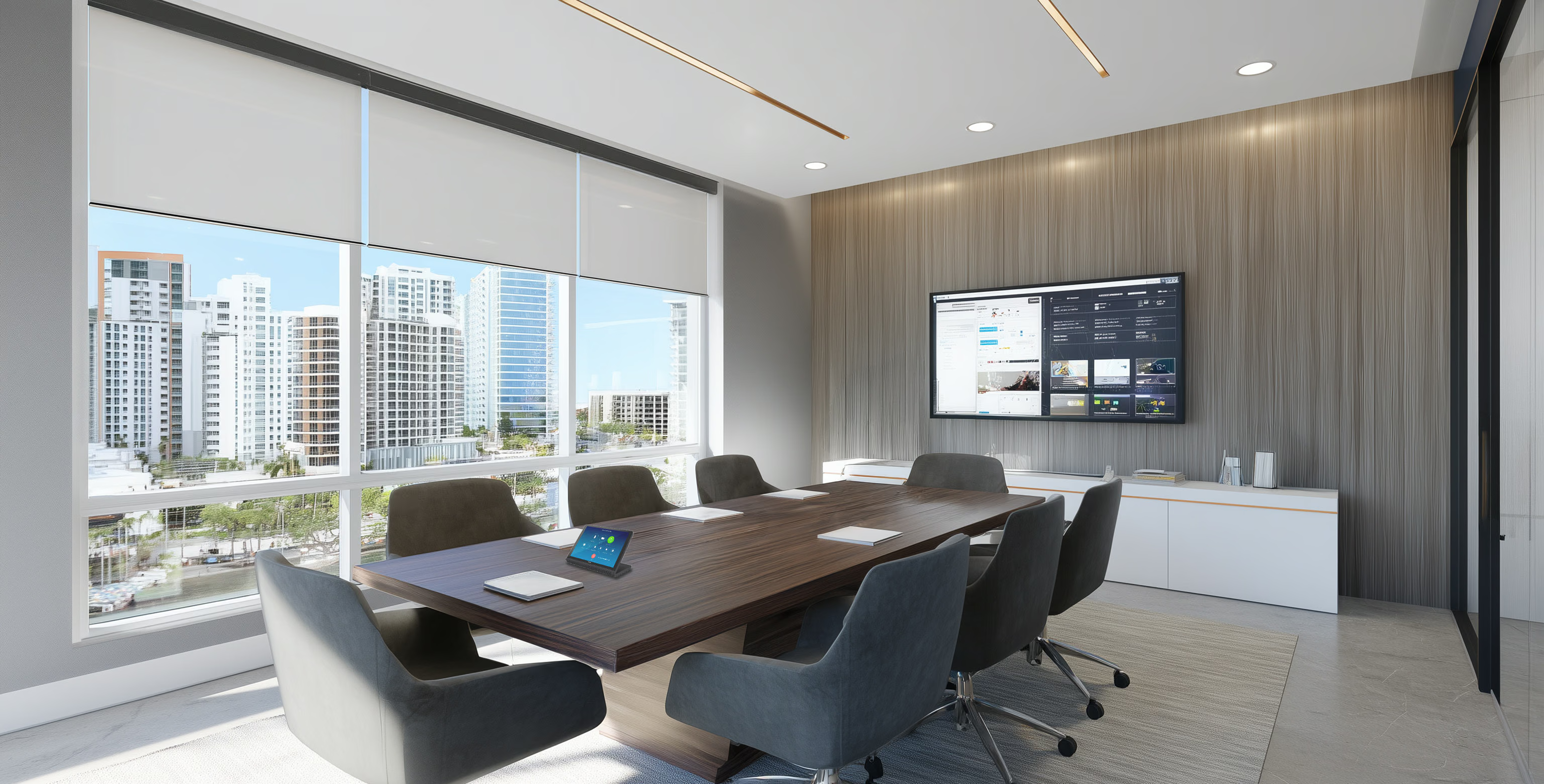
From the display wall to the room scheduler, our corporate AV integration and conference room technology team handles full-scope deployments for law firms, financial offices, and enterprise campuses throughout South Florida.
What to Prioritize for Multi-Room Law Firm Environments
Law firms with multiple conference rooms benefit from a consistent technology standard across rooms. When attorneys move between rooms, the equipment should behave the same way. This means:
- Standardized control interfaces – same button layout, same workflow
- Centralized management so IT can monitor all rooms from a single dashboard
- A maintenance agreement that keeps firmware updated and catches failures before they happen during a critical meeting
The commercial integration approach we use with professional services firms builds this standardization in from the design phase. It’s easier to design for consistency than to retrofit it later.
Beyond Law Firms: Tech and Creative Offices in South Florida
The same conference room problems that affect law firms show up across the professional office market, and the design requirements are similar regardless of industry. Miami’s corporate landscape has shifted considerably – Wynwood in particular has absorbed a significant amount of tech and creative office growth, with major tenants including Amazon and Palantir establishing large headquarters in the neighborhood. These environments have their own AV requirements: open-plan collaboration spaces, smaller huddle rooms alongside formal conference rooms, and technology that supports hybrid work at scale. Our AV integration for tech companies and modern offices in Wynwood, Miami page covers the work we do for companies moving into this corridor.
The Right Time to Evaluate Your Conference Room AV
If your conference rooms are more than three years old and your firm is now using video for a meaningful portion of meetings and depositions, the system you have was likely designed for a different use pattern. An assessment takes a few hours and gives you a clear picture of what’s working, what’s failing, and what a properly designed replacement would cost.
Schedule a Consultation for Your South Florida Office
Geeks of Technology works with law firms, financial services companies, and enterprise offices across Miami and Fort Lauderdale to design and install conference room AV that performs under real professional workloads. For an overview of our corporate AV projects across the Miami market, including the industries and building types we serve, the Miami commercial market page covers it in detail.
If your firm is ready to upgrade its conference room experience, our full-service corporate AV integration for South Florida offices team handles the full scope – AV, network infrastructure, control systems, and ongoing support.
You might also enjoy